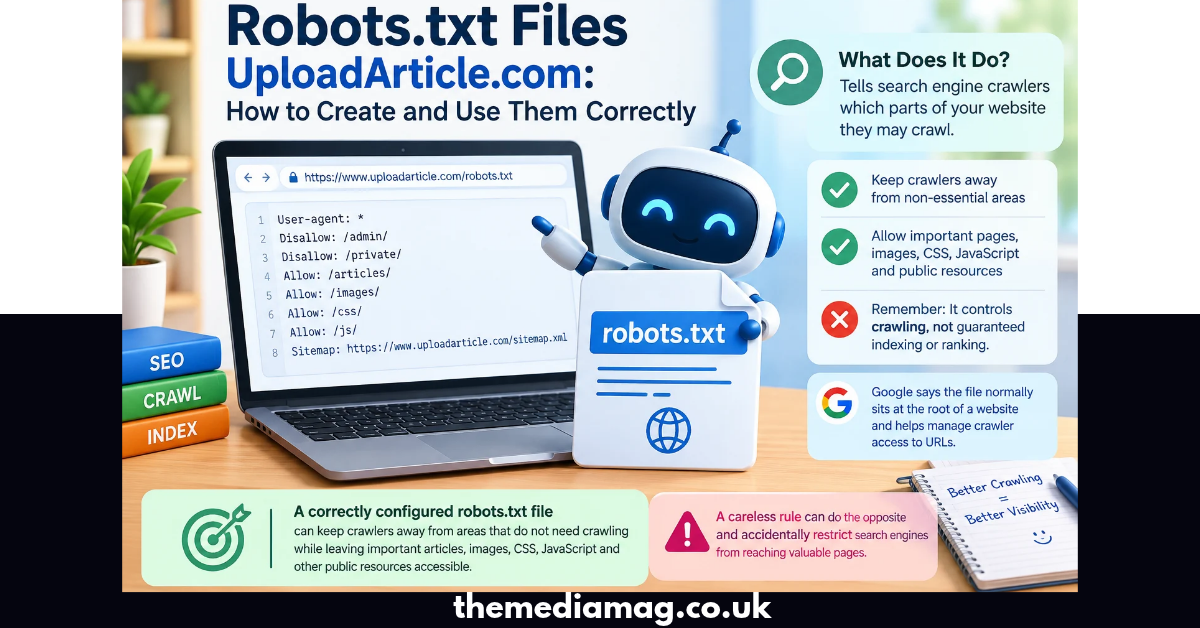
A robots.txt file gives search engine crawlers instructions about which parts of a website they may crawl. If you are researching robots.txt files uploadarticle.com, the key point is that robots.txt controls crawling, not guaranteed indexing or ranking. Google says the file normally sits at the root of a website and helps manage crawler access to URLs.
A correctly configured file can keep crawlers away from areas that do not need crawling while leaving important articles, images, CSS, JavaScript, and other public resources accessible. A careless rule can do the opposite and accidentally restrict search engines from reaching valuable pages.
Why Do Robots.txt Files Matter for UploadArticle.com?
For a content publishing platform such as UploadArticle.com, crawl control can matter because a site may contain articles, category pages, author pages, administrative paths, search URLs, and other technical URLs.
UploadArticle.com publicly describes itself as a platform where contributors can submit original articles, and its contributor guidelines emphasize original, descriptive, grammatically correct content.
That makes the basic technical principle simple:
- Keep important published content crawlable.
- Restrict areas that should not consume unnecessary crawler activity.
- Avoid blocking resources required to render pages.
- Keep the robots.txt syntax simple.
- Check the file after every major change.
- Do not use robots.txt as a security mechanism.
Google specifically explains that robots.txt is primarily a crawl-control mechanism and should not be treated as a way to keep confidential information secure.
How Does a Robots.txt File Work?
A robots.txt file uses simple directives that tell compatible crawlers what they may or may not access.
A basic example looks like this:
User-agent: *
Disallow:
Sitemap: https://example.com/sitemap.xml
Here, User-agent: * applies the rule to all crawlers that follow the Robots Exclusion Protocol. An empty Disallow means no URL path is blocked.
Google supports fields including user-agent, allow, disallow, and sitemap. Google also notes that unsupported fields should not be treated as supported instructions.
What Each Directive Means
| Directive | Purpose | Example |
| User-agent | Selects the crawler | User-agent: * |
| Disallow | Blocks a URL path from crawling | Disallow: /private/ |
| Allow | Permits a path that might otherwise be restricted | Allow: /private/public-file.html |
| Sitemap | Gives crawlers the sitemap location | Sitemap: https://example.com/sitemap.xml |
The exact behavior can vary between crawlers, so rules should be written for the search engines and other bots you actually care about.
Where Should You Put Robots.txt?
The standard location is the website’s top-level directory.
For example:
https://example.com/robots.txt
The file is not normally placed inside /blog/, /seo/, or another content folder.
Google states that robots.txt rules apply to the host, protocol, and port where the file is located. This means a robots.txt file on one host does not automatically control another host.
For anyone investigating robots.txt files uploadarticle.com, this distinction is important. A robots.txt file belongs to the website whose crawling behavior it is intended to control; it is not a general-purpose file that controls every website mentioned inside it.
Can You Upload a Robots.txt File to UploadArticle.com?
This depends on what you mean by “upload.”
If you are asking whether an ordinary contributor can upload a robots.txt file through the UploadArticle.com article-submission process, its public contributor guidelines do not document a feature that gives authors control over the site’s root robots.txt file. The guidelines instead describe article submission requirements and contributor content.
If you own or administer a separate website and want to create its robots.txt file, you normally place the file in that website’s root directory through your hosting or server environment. Google notes that the exact upload process depends on the hosting provider and server architecture.
Therefore, do not confuse publishing an article on UploadArticle.com with administering UploadArticle.com’s server-level robots.txt file.
How to Create Robots.txt Files UploadArticle.com Style
If your goal is to understand or create a robots.txt file for your own website after researching robots.txt files uploadarticle.com, follow this practical process.
Step 1: Identify What Crawlers Need Access
Start by listing the important sections of your website:
- Homepage
- Articles
- Product pages
- Categories
- Images
- CSS files
- JavaScript files
- XML sitemap
These areas should normally remain available to crawlers when they are part of your public search experience.
Step 2: Identify URLs That Do Not Need Crawling
Look for technical areas such as:
- Internal administration paths
- Private application areas
- Certain duplicate URL patterns
- Unnecessary internal search paths
- Technical folders that do not need search-engine crawling
Do not automatically block a directory simply because it looks technical. Google needs access to resources such as CSS and JavaScript in many situations to properly render pages.
Step 3: Write the Rules
A simple starting example is:
User-agent: *
Disallow: /admin/
Disallow: /private/
Allow: /
Sitemap: https://example.com/sitemap.xml
Only use paths that actually exist on your website. Never copy a robots.txt template blindly into production.
Step 4: Save the File Correctly
The filename should be:
robots.txt
Use lowercase letters and make sure your server returns the file at the expected root URL.
Step 5: Upload It to the Root Directory
The exact process depends on your hosting environment. You may use:
- Hosting file manager
- FTP/SFTP
- Server terminal
- Deployment system
- CMS-specific settings
Google’s official documentation confirms that the upload method depends on the site’s hosting and server architecture.
Step 6: Test the Live File
Open:
https://yourdomain.com/robots.txt
You should be able to see the actual text file publicly.
Google recommends checking that the file is accessible and can be parsed after uploading it.
Robots.txt vs. Noindex: What Is the Difference?
This is one of the most important SEO distinctions.
Robots.txt controls crawling. A noindex directive controls whether Google should index a page.
For example:
User-agent: *
Disallow: /private/
This tells compliant crawlers not to crawl the path.
By contrast, a page can use a robots meta tag such as:
<meta name=”robots” content=”noindex”>
The two mechanisms solve different problems.
Google explicitly warns that robots.txt should not be used as the primary method for preventing a page from appearing in Google Search. A URL blocked by robots.txt may still be discovered and indexed without its contents being crawled.
Quick Comparison
| Goal | Recommended approach |
| Control crawler access | robots.txt |
| Prevent a page from appearing in Google | noindex |
| Protect confidential information | Authentication/password protection |
| Remove content permanently | Remove the content |
| Help crawlers discover sitemap | Sitemap directive |
Does Robots.txt Improve Google Rankings?
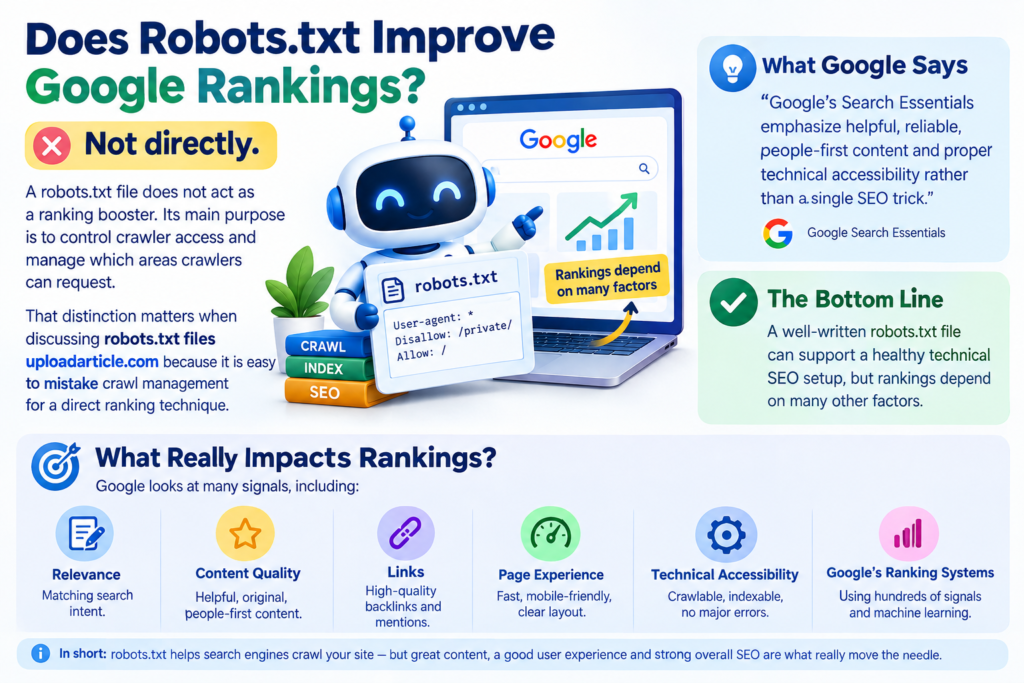
Not directly.
A robots.txt file does not act as a ranking booster. Its main purpose is to control crawler access and manage which areas crawlers can request.
That distinction matters when discussing robots.txt files uploadarticle.com because it is easy to mistake crawl management for a direct ranking technique.
Google’s Search Essentials emphasize helpful, reliable, people-first content and proper technical accessibility rather than a single SEO trick.
A well-written robots.txt file can support a healthy technical SEO setup, but rankings depend on many other factors, including relevance, content quality, links, page experience, technical accessibility, and Google’s ranking systems.
How Robots.txt Can Affect Article Indexing
Robots.txt can indirectly affect whether search engines discover and process your content.
Suppose an important article is located at:
https://example.com/seo/robots-guide
If you accidentally block:
Disallow: /seo/
the crawler may not access the article.
This can create a serious technical problem if the blocked area contains pages you want search engines to crawl.
Google’s documentation also explains that blocking a URL in robots.txt does not necessarily guarantee that the URL will never appear in search results. A crawler may discover the URL through links elsewhere even when it cannot crawl the page.
What Robots.txt Syntax Does Google Support?
Google’s robots.txt implementation supports the main Robots Exclusion Protocol fields needed for common crawl-control tasks.
A useful example is:
User-agent: Googlebot
Disallow: /admin/
User-agent: *
Disallow: /private/
Sitemap: https://example.com/sitemap.xml
The first section applies specifically to Googlebot. The second applies to other crawlers that follow the rule.
Google’s current documentation says fields such as crawl-delay are not supported by Google. Therefore, avoid adding directives simply because they appear in random robots.txt examples online.
Common Robots.txt Mistakes to Avoid
1. Blocking the Entire Website
This is one of the most damaging mistakes:
User-agent: *
Disallow: /
That rule tells compliant crawlers not to crawl any URL on the site.
Use it only when you deliberately want that behavior, such as certain development or controlled environments.
2. Blocking Important Content
A rule such as:
Disallow: /blog/
can prevent crawlers from accessing an entire article section.
Review every path before publishing a rule.
3. Treating Robots.txt as Security
Robots.txt is public. It should never contain secrets, passwords, private data, API credentials, or security-sensitive instructions.
Google recommends stronger access controls such as password protection for confidential material.
4. Blocking CSS or JavaScript Without a Reason
Search engines may need important resources to understand and render your pages.
Before blocking a resource directory, confirm that it is genuinely unnecessary for search engines.
5. Using Unsupported Directives
Do not assume that every directive used by another crawler works with Googlebot.
Google specifically documents which fields it supports and notes that unsupported fields should not be treated as supported instructions.
6. Forgetting the Sitemap
Adding a sitemap URL can make it easier for compatible crawlers to discover the XML sitemap:
Sitemap: https://example.com/sitemap.xml
Keep the sitemap URL accurate and use the canonical sitemap location.
How to Test Robots.txt Files UploadArticle.com or Your Own Site
Testing should happen before and after a major robots.txt change.
Use this checklist:
- Open /robots.txt in a browser.
- Confirm the file returns successfully.
- Check every Disallow path.
- Confirm important article URLs remain crawlable.
- Check that CSS and JavaScript are not unintentionally blocked.
- Confirm the sitemap URL is correct.
- Test important URLs with Google Search Console.
- Recheck the file after major website changes.
Google recommends using Search Console’s robots.txt reporting capabilities where available and checking the live file after upload.
How Does Robots.txt Relate to Google AI Overviews?
Robots.txt remains part of the technical foundation of search visibility, including Google’s newer AI search experiences.
Google says pages must be indexed and eligible to appear in normal Google Search with a snippet to be eligible as supporting links in AI Overviews or AI Mode. Google also states that there are no additional technical requirements specifically required for appearing in these AI features.
That means the fundamentals still matter:
- Make important pages accessible.
- Avoid accidental crawl blocks.
- Publish useful original information.
- Maintain clear site architecture.
- Follow Google’s Search policies.
- Provide trustworthy and well-supported content.
Google’s guidance for generative AI search also emphasizes unique, valuable, people-first content rather than producing large quantities of near-identical pages simply to target search variations.
Robots.txt and E-E-A-T: What Should Publishers Do?
Robots.txt itself does not create E-E-A-T.
Instead, publishers should build trust through the overall website and content experience.
For an article about robots.txt files uploadarticle.com, useful trust signals include:
- A clear author byline
- An author page where appropriate
- Accurate technical explanations
- Links to primary documentation
- Current information
- Original examples
- Transparent corrections or updates
- Clear distinction between facts and recommendations
Google’s people-first guidance specifically recommends making authorship clear where readers would expect it and providing background that helps users understand the expertise behind the content.
What Should an SEO-Friendly Robots.txt File Look Like?
There is no universal robots.txt file that is correct for every website.
A clean example for a basic site might look like this:
User-agent: *
Disallow: /admin/
Disallow: /private/
Sitemap: https://example.com/sitemap.xml
The correct version depends on the site’s URL structure and technical requirements.
For a publishing website, the priority should be keeping public articles and other important resources accessible while restricting only areas that genuinely need crawl control.
Robots.txt Best-Practice Checklist
Before publishing your file, run through this checklist:
| Check | What to verify |
| File name | robots.txt |
| Location | Root directory |
| Accessibility | Publicly reachable |
| User-agent | Correct crawler target |
| Disallow | Only necessary paths |
| Allow | Used when needed |
| Sitemap | Correct XML sitemap URL |
| Article URLs | Not accidentally blocked |
| Resources | Important CSS/JS remain accessible |
| Security | No confidential information |
| Testing | Live file checked after upload |
| Updates | Recheck after site changes |
Google states that the robots.txt file has a size limit of 500 KiB for Google, with content beyond that limit ignored. Keeping the file concise is therefore useful for both clarity and technical reliability.
Can Robots.txt Stop Google From Indexing a Page?
No, not reliably.
Robots.txt primarily controls whether a crawler can access a URL. It does not function as a guaranteed noindex mechanism.
Google explains that a URL blocked by robots.txt can still potentially appear in search if Google discovers the URL elsewhere. If your goal is to prevent a page from appearing in Google Search, use an appropriate indexing control such as noindex, or protect/remove the content when appropriate.
Is There a Special UploadArticle.com Robots.txt Format?
No special robots.txt syntax is required simply because a website is related to UploadArticle.com.
Robots.txt follows the Robots Exclusion Protocol. The important factors are the website you control, its URL structure, the crawlers you want to address, and the content you need to keep accessible.
If you are a contributor to UploadArticle.com, publishing an article is different from administering the website’s server configuration. UploadArticle.com’s own contributor page discusses article requirements rather than providing authors with instructions for modifying the site’s root robots.txt file.
FAQs
Answer: The phrase generally refers to information about robots.txt and UploadArticle.com. Robots.txt is a text file that provides crawl instructions to search-engine bots and normally lives at the root of a website.
Answer: Place it in the root directory of the website, normally at https://example.com/robots.txt. The file applies to the relevant host, protocol, and port.
Answer: No. Robots.txt controls crawling, while noindex is designed to prevent a page from appearing in Google Search. A blocked URL can still potentially be indexed if Google discovers it elsewhere.
Answer: UploadArticle.com’s public contributor guidelines describe article submission requirements but do not document a contributor feature for editing the site’s root robots.txt file. Server-level robots.txt management normally requires website administration or hosting access.
Answer: Adding the sitemap location can help compatible crawlers discover it. Use the correct absolute sitemap URL, such as Sitemap: https://example.com/sitemap.xml.
Answer: Yes. An overly broad Disallow rule can prevent crawlers from accessing pages or resources that matter to search visibility. Always test important URLs after changing the file.
Conclusion:
Understanding robots.txt files uploadarticle.com starts with one simple distinction: robots.txt manages crawler access, while indexing controls determine whether content can appear in search. The safest approach is to keep important public content accessible, restrict only URLs that genuinely need crawl control, and test every major change.
If you manage your own website, build the file around your real URL structure instead of copying a generic template. Combine sound technical SEO with original, useful content, clear authorship, accurate sources, and a satisfying reader experience. Google consistently emphasizes people-first, reliable content and warns against creating pages primarily to manipulate search rankings.